Part of the Hostinger Review 2026: Is It Still the Best Budget Web Hosting? series
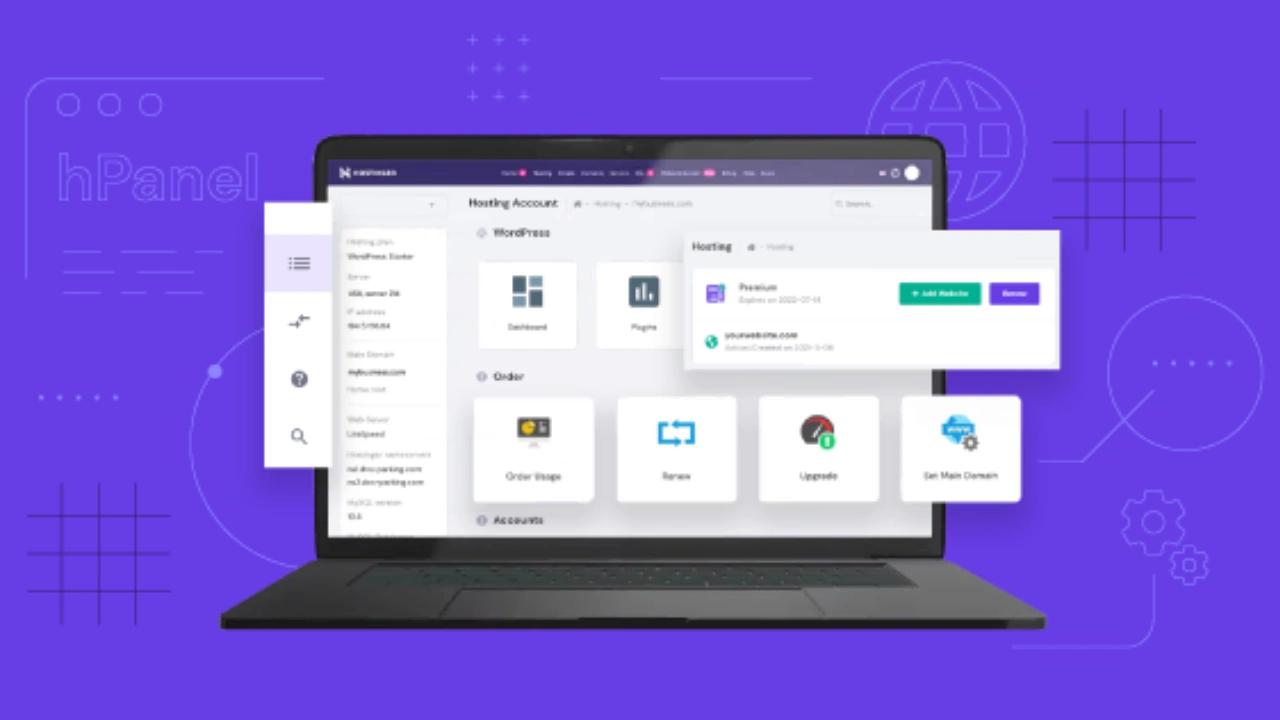
hPanel is Hostinger's custom-built control panel, designed around cleaner navigation, a built-in AI assistant, and consolidated tools for domains, email, files, databases, and WordPress management.
Key Takeaways
- hPanel is Hostinger's proprietary control panel, built in-house rather than licensed, a deliberate move away from cPanel.
- hPanel supports 8+ languages and includes Kodee, a built-in AI assistant that answers configuration and troubleshooting questions directly inside the dashboard.
- Staging environments, one-click Cloudflare integration, and Git deployment are all available in hPanel, features historically reserved for premium managed hosting panels.
- A first-time user can go from signup to a live WordPress site in under 20 minutes using hPanel's guided onboarding.
- The main gaps for power users: SSH access exists but is less discoverable than in cPanel, and Git integration is basic.
Playbooks
Frameworks you can put to work
Growth marketing, LinkedIn presence, and more — delivered as PDFs.
Browse the playbooksEvery hosting control panel comparison eventually reduces to "is it like cPanel or not," which misses the actual question a new user has: can I find the setting I need without a support ticket. hPanel answers that better than most people expect from a budget host's proprietary tool.
Direct answer: hPanel is Hostinger's custom-built control panel, not a licensed or modified cPanel, designed around a cleaner navigation structure, a built-in AI assistant, and consolidated tools for domains, email, files, databases, and WordPress management. In my 90 days of production testing for my full Hostinger review, it was consistently the part of the experience that outperformed its price point the most.
This guide covers what's actually in hPanel, how it compares to cPanel functionally (not just aesthetically), and where its real limitations are for anyone coming from a more traditional hosting background.
Key Takeaways
hPanel is Hostinger's proprietary control panel, built in-house rather than licensed: a deliberate move away from cPanel that Hostinger made to control cost and design its own UX.
hPanel supports 8+ languages and includes Kodee, a built-in AI assistant that answers configuration and troubleshooting questions directly inside the dashboard.
Staging environments, one-click Cloudflare integration, and Git deployment are all available in hPanel, features historically reserved for premium managed hosting panels.
A first-time user can go from signup to a live WordPress site in under 20 minutes using hPanel's guided onboarding, based on independent 2026 testing.
The main gaps for power users: SSH access exists but is less discoverable than in cPanel, and Git integration is functional but more basic than a dedicated CI/CD tool.
What Is hPanel?
hPanel is Hostinger's own hosting control panel, built to replace cPanel across its shared, cloud, and VPS hosting products. It's a web-based dashboard for managing domains, DNS, email accounts, file storage, databases, SSL certificates, backups, and WordPress installations: the same category of tool as cPanel or Plesk, but built from scratch rather than licensed.
Hostinger made this switch years ago, and by 2026 hPanel has matured into what independent reviewers now generally consider the strongest consumer-grade hosting control panel on the market, a notable claim against cPanel, which has been the default for two decades.
The distinction matters practically: because hPanel isn't built on cPanel's codebase, it doesn't inherit cPanel's interface conventions. That's mostly a benefit (cleaner navigation, faster load times), but it does mean tutorials and muscle memory built around cPanel don't transfer directly.
hPanel vs. cPanel: What Actually Changed
| hPanel | cPanel | |
|---|---|---|
| Ownership | Built and owned by Hostinger | Licensed third-party software, used by many hosts |
| Interface | Modern, consolidated sidebar navigation | Grid-of-icons layout, largely unchanged in structure for years |
| Built-in AI assistant | Yes (Kodee) | No |
| Language support | 8+ languages natively | Varies by host's configuration |
| Learning resources online | Growing but smaller than cPanel's | Vast, two decades of tutorials and forum answers |
| Familiarity for experienced admins | Requires relearning | Immediately familiar to anyone with hosting experience |
| Speed/responsiveness | Generally faster in testing | Can feel dated, especially on shared infrastructure |
The honest trade-off: hPanel is objectively cleaner and faster for a beginner, but it costs you the two decades of "just Google it" tutorials that exist for cPanel specifically. If you're the kind of user who solves problems by searching Stack Overflow or hosting forums, you'll find fewer hPanel-specific answers than cPanel-specific ones, though that gap has been closing steadily as Hostinger's user base has grown to 4.6 million-plus.
Core hPanel Features, Section by Section
Website Management
The Websites section is hPanel's home base: a list of every site on your account with quick-access links to WordPress admin, file manager, and site-specific settings. One-click WordPress installation lives here, and it's genuinely one-click: select WordPress, confirm domain, and the install runs in the background while you configure other settings.
Domains and DNS
Domain management, DNS record editing, and nameserver configuration are consolidated into a single section rather than split across multiple menus the way older panels sometimes structure them. For anyone managing multiple domains (freelancers running several client sites, for example), this consolidation genuinely saves clicks.
Kodee: The Built-In AI Assistant
Kodee is hPanel's AI assistant, embedded directly in the dashboard to answer configuration and troubleshooting questions without leaving the panel or opening a support ticket. In practice, it handles a meaningful share of "how do I..." questions (DNS propagation timing, SSL troubleshooting, basic WordPress errors) accurately enough to reduce dependence on live chat for routine issues.
I wouldn't treat Kodee as a replacement for actual technical knowledge on anything complex. Server-level configuration or multi-site database issues still need a human agent or real expertise. But for the target audience of beginners and small-site owners, it measurably cuts the number of "I don't even know what to search for" support tickets.
File Manager
hPanel's file manager provides browser-based file editing, upload, and permission management without requiring FTP client setup. It's useful for quick edits but not a replacement for a proper FTP/SFTP workflow on larger projects. SFTP access is available and documented, just less prominently surfaced in the main navigation than some users coming from cPanel expect.
Databases
MySQL database creation, phpMyAdmin access, and database user management are all here, functionally equivalent to what cPanel offers. This is one area where hPanel doesn't really differentiate. A database is a database, and both panels handle the basics competently.
Staging Environments
Staging (the ability to clone a live site into a testing environment before pushing changes to production) is included free on Business plans and above. This used to be a feature exclusive to premium managed WordPress hosts charging significantly more. Having it bundled into a mid-tier shared hosting plan is a meaningful value shift in the budget hosting category over the last few years.
One-Click Cloudflare Integration
hPanel includes one-click Cloudflare setup, connecting your site to Cloudflare's CDN and basic security layer without manually configuring DNS records at Cloudflare's dashboard separately. For a beginner, this closes a gap that used to require understanding DNS well enough to point nameservers correctly. Now it's a toggle.
Git Deployment
Git integration lets you deploy from a repository directly, which matters for anyone doing real development work rather than editing through wp-admin exclusively. It's functional but basic. Don't expect a full CI/CD pipeline. For a solo developer or small agency, it's enough to skip manual file uploads; for a team running staged deployment approvals, you'll likely still want a dedicated tool layered on top.
Backups
Backup frequency and retention depend on your plan tier: weekly on Premium, daily on Business and above. hPanel's backup restoration interface is straightforward: select a backup point, confirm, and restore, without needing to manually extract and re-upload files.
Where hPanel Falls Short
SSH access is available but not prominent. Experienced developers expecting SSH front-and-center the way cPanel surfaces it will need to dig slightly to find it. It's there, and it works, but the discoverability is worse than the feature itself.
Git integration is basic. Fine for solo projects and small teams; not a substitute for a dedicated deployment pipeline if you're running anything with real CI/CD requirements.
Smaller third-party tutorial ecosystem. This is closing over time as Hostinger's user base grows, but if you hit an edge case, you're more likely to find a cPanel-specific answer than an hPanel-specific one through a generic search.
Migrating away requires relearning, not just re-pointing DNS. If you eventually move to a host running cPanel, your muscle memory doesn't transfer. This is a minor consideration but worth naming honestly.
Who hPanel Is Actually Built For
hPanel is clearly designed for the beginner-to-intermediate site owner: someone launching a first WordPress site, managing a handful of client projects, or running a small business site without a dedicated developer on staff. For that audience, the combination of clean navigation, an AI assistant that actually answers useful questions, and bundled features like staging and Cloudflare integration outperforms what you'd typically get from a cPanel-based host at the same price point.
For an agency managing dozens of sites with complex deployment workflows, or a developer who lives in SSH and Git daily, hPanel is competent but not purpose-built for that use case the way a developer-first platform would be. It's not a weakness specific to hPanel; most consumer-grade shared hosting panels share this same ceiling.
Common Mistakes New hPanel Users Make
Not enabling staging before making major site changes. It's free on Business plans and above. Use it before any theme or plugin update that could break the live site.
Overlooking Kodee for routine questions and opening a support ticket instead. For common configuration questions, Kodee is often faster than waiting in the live chat queue.
Assuming "unlimited" resource labels mean no limits exist. hPanel's plan resource displays are honest about tier-specific allocations; check the actual numbers under your plan settings rather than assuming.
Skipping the one-click Cloudflare setup because it sounds advanced. It's genuinely one click, and it meaningfully improves both performance and basic security for very little effort — see how this factors into overall site security in the context of choosing budget-appropriate hosting.
Not checking backup frequency before assuming daily protection exists. This depends entirely on your plan tier — verify it rather than assume it, particularly if you're running a WooCommerce store where order data changes daily.
Frequently Asked Questions
Is hPanel better than cPanel?
For beginners and small-site owners, yes — hPanel's cleaner navigation, built-in AI assistant, and bundled features like staging and Cloudflare integration generally outperform a standard cPanel setup at the same price tier. For power users who rely on SSH-heavy workflows and cPanel's two decades of tutorial coverage, cPanel still has an edge in raw familiarity.
Does hPanel support WordPress management directly?
Yes. One-click WordPress installation, staging environments (Business plan and above), and WordPress-specific caching controls are all built into hPanel's Websites section.
What is Kodee in hPanel?
Kodee is Hostinger's built-in AI assistant, embedded in the hPanel dashboard to answer configuration and troubleshooting questions in real time, reducing the need to open support tickets for routine issues.
Can I access my site via SSH through hPanel?
Yes, SSH access is available on hPanel, though it's less prominently surfaced in the main navigation than in a typical cPanel installation. It's fully functional once located.
Is hPanel free with every Hostinger plan?
Yes, hPanel is the standard control panel across all Hostinger hosting plans — shared, cloud, and VPS — at no additional cost. Feature availability (like staging) varies by plan tier, not by panel access.
How long does it take to learn hPanel if I'm used to cPanel?
Most users familiar with cPanel report finding hPanel's core functions (files, databases, domains, email) within a single session, since the underlying concepts are the same even though the layout differs. Full comfort with less-common features typically takes a few sessions of actual use.
Final Thoughts
hPanel is a rare case where a hosting company's proprietary tooling is actually better than the industry-standard alternative it replaced, at least for the audience it's built for. It won't satisfy a developer who wants deep SSH and CI/CD control out of the box, but for the beginner-to-small-business segment, it removes friction that cPanel-based competitors still carry.
If you're evaluating whether the panel experience justifies choosing Hostinger over a cPanel-based host, the broader performance and pricing picture is in my full Hostinger review — hPanel is one strong signal among several, not the whole decision.

Swapan Kumar Manna
Go-to-market & AI search strategist
Swapan Kumar Manna is a go-to-market and AI search strategist and Founder & CEO of Oneskai. He has spent 14+ years helping companies get found, get chosen and grow.