8 Best AI Coding Assistants for 2026 (Tested & Ranked)
We evaluated the top AI coding tools for multi-file codebase reasoning, completion latency, terminal execution, and refactoring speed. Here are the 8 best for 2026.

The best AI coding assistants for 2026 are Cursor (best overall AI IDE & multi-file editing), Windsurf (best agentic flow & autocomplete), GitHub Copilot (best for universal IDEs & enterprise), Claude Code (best autonomous terminal CLI agent), and Supermaven (fastest autocomplete).
Key Takeaways
- Cursor is the gold standard for full-stack developers, offering multi-file Composer editing and deep semantic codebase indexing.
- Windsurf delivers innovative Cascade agentic workflows with smooth terminal command execution and fast autocomplete.
- GitHub Copilot provides universal IDE support (VS Code, JetBrains, Visual Studio) with dynamic model switching (Claude 3.7, GPT-4o).
- Claude Code operates directly in the terminal as an autonomous agent that navigates, refactors, and tests codebases.
- Tabnine remains the leader in enterprise compliance, offering on-premise air-gapped deployments and zero data retention.
In This Guide
How We Benchmarked AI Coding Assistants & IDEs
AI coding assistants have evolved far beyond single-line tab autocomplete. Modern AI developer environments index your entire repository into vector and graph databases, edit 20 files simultaneously in response to a natural language prompt, execute terminal commands, and autonomously run and debug test suites.
To rank the best AI coding assistants for 2026, our engineering team spent 100+ hours building real production features across TypeScript, Python, Next.js, Rust, and Go codebases. We scored each assistant on five critical engineering benchmarks: whole-codebase context comprehension, multi-file edit accuracy without breaking types, autocompletion speed and ghost-text latency, terminal agent capabilities, and enterprise security / SOC 2 compliance.
Engineering rule: We evaluate code assistants on real-world refactors and bug investigations — not simplistic LeetCode bubble-sort prompts.
The 8 Best (2026)
Cursor
Top Overall PickThe undisputed gold standard for AI-native software engineering
Cursor is a fork of VS Code engineered from the ground up for AI-first software development. It has become the default editor for elite engineering teams at OpenAI, Midjourney, and Perplexity. Features like Cursor Tab (which predicts your next edits across multiple cursor locations), Codebase Indexing (which embeds your entire repo for instant semantic `@codebase` queries), and Composer (an autonomous agent that writes, modifies, and debugs multi-file architectures in real time) deliver a 3x to 5x boost in developer velocity.
Key Features
- Composer Agent: executes multi-file feature development with live diff previews
- Cursor Tab: multi-line and multi-location edit prediction that anticipates refactors
- Semantic Codebase Indexing: ask `@codebase` complex questions with full repo context
- Model Flexibility: switch between Claude 3.7 Sonnet, GPT-4o, and custom fine-tunes
- Terminal execution and automated error diagnosis from stack traces
- 1-click migration from standard VS Code (imports all extensions, keybindings, and themes)
Pros
- +Fastest, most contextually aware AI editor on the market
- +Composer agent edits 10+ files simultaneously without losing type integrity
- +Zero friction for VS Code users — identical shortcut and extension ecosystem
- +Privacy Mode guarantees zero customer code retention or model training
Cons
- −Standalone IDE rather than a plugin for JetBrains or Xcode
- −Heavy usage on fast Pro requests can hit monthly tier caps
- −Can occasionally create merge conflicts if working on dirty git branches
Windsurf (by Codeium)
Best Agentic FlowInnovative AI IDE featuring powerful Cascade agentic workflows
Windsurf is Codeium’s next-generation AI IDE, built to challenge Cursor directly. What distinguishes Windsurf is its "Cascade" architecture: an autonomous agent that acts as a true pair-programmer. Cascade maintains a continuous stream of consciousness across your entire project, automatically running terminal commands, inspecting file structures, writing code, and verifying lint errors before presenting clean diffs for your approval.
Key Features
- Cascade Agent: deep contextual flow that inspects, edits, and verifies code autonomously
- Supercomplete: predictive multi-line autocomplete that fills boilerplate in real time
- Integrated terminal execution with automatic command suggestion and error fixing
- Deep semantic codebase graph indexing for instant symbol and reference lookup
- Support for Claude 3.7 Sonnet, GPT-4o, and Codeium’s custom proprietary models
- Seamless VS Code extension compatibility and one-click workspace import
Pros
- +Cascade agent exhibits exceptional multi-step problem solving discipline
- +Supercomplete is blazingly fast and accurate across repetitive patterns
- +Very competitive pricing and generous free tier capabilities
- +Strong handling of complex full-stack Next.js and Python architectures
Cons
- −Newer ecosystem compared to Cursor with rapid ongoing UI updates
- −Requires running as a dedicated IDE fork rather than inside JetBrains
- −Community plugin ecosystem is still growing
GitHub Copilot
Enterprise StandardThe industry-standard coding assistant with universal IDE support and enterprise security
With millions of active enterprise developers, GitHub Copilot remains the standard against which all coding extensions are measured. Backed by Microsoft and OpenAI, Copilot now allows developers to switch dynamically between multiple frontier models (including Claude 3.7 Sonnet, GPT-4o, and Gemini 2.0 Flash). Embedded natively into VS Code, Visual Studio, JetBrains, and Neovim, it provides Copilot Chat, workspace indexing, and pull request reviews directly on GitHub.
Key Features
- Universal IDE support: VS Code, JetBrains IDEs, Visual Studio, Xcode, Neovim
- Multi-model selection: dynamically switch between Claude 3.7, GPT-4o, and o1
- Copilot Workspace: plan and execute complex issue resolutions directly from GitHub issues
- Pull Request summarization and automated security vulnerability scanning
- Full enterprise IP indemnity and SOC 2 / ISO 27001 compliance
- Copilot CLI for bash/zsh command generation in the terminal
Pros
- +Works inside any editor without forcing developers to switch to a new IDE
- +Multi-model switcher lets you use Claude for complex architecture and GPT for speed
- +Deep integration with GitHub issues, PRs, and team review pipelines
- +Gold standard in enterprise legal protection and compliance peace of mind
Cons
- −Multi-file editing agent is slightly less autonomous than Cursor Composer
- −Codebase semantic indexing can feel slower on massive 500k+ line repos
- −No standalone free tier for commercial businesses
Claude Code (Anthropic)
Best Terminal AgentGroundbreaking autonomous terminal coding agent for deep codebase refactors
Claude Code is Anthropic’s official agentic command-line interface (CLI) tool. Rather than living as a sidebar extension in an IDE, Claude Code operates directly in your terminal. It autonomously navigates your directory structure, reads and grep-searches files, writes complex multi-file code changes, executes tests, fixes compiler errors, and drafts git commits—powered by Claude 3.7 Sonnet’s elite reasoning capabilities.
Key Features
- Terminal-native autonomous agent operating directly in your shell
- Deep multi-file codebase exploration via ripgrep and AST indexing
- Runs tests, linters, and build commands, self-correcting errors automatically
- Git workflow integration: branches, reviews diffs, and writes descriptive commits
- Zero editor lock-in — works alongside any IDE or terminal environment
- Powered by Claude 3.7 Sonnet with extended thinking mode support
Pros
- +Best architectural reasoning and complex refactoring accuracy available
- +Autonomous test-and-fix loop saves massive debugging time on broken builds
- +Works directly with existing command-line tools, makefiles, and docker containers
- +No bloated GUI overhead — lightning-fast terminal response
Cons
- −Requires comfort working in terminal and command-line environments
- −API token usage on large architectural refactors can scale in cost
- −Requires granting shell permissions with careful human oversight
Supermaven
Fastest AutocompleteUltra-fast autocomplete with a massive 300,000-token context window
Created by the founder of TabNine, Supermaven focuses relentlessly on one thing: speed. Using a proprietary custom architecture (Babble), Supermaven provides ghost-text completions with latency under 50ms across a colossal 300,000-token context window. This allows Supermaven to keep your entire project’s types, schemas, and recent edits in memory, predicting entire functions before you finish typing the signature.
Key Features
- 300,000-token context window — largest autocomplete context in the world
- Sub-50ms completion latency: feels like instant telepathic typing
- Lightweight plugins for VS Code, JetBrains IDEs, and Neovim
- Learns unique local variable naming conventions and API patterns instantly
- Low memory footprint with minimal battery drain on laptops
- Generous free tier with full speed access
Pros
- +Fastest code completion in the world — zero perceptible lag
- +Massive context window remembers code patterns from files edited hours ago
- +Works as a simple extension inside your favorite existing editor
- +High accuracy on boilerplate, data schemas, and repetitive unit tests
Cons
- −Focused primarily on inline autocomplete rather than full-blown chat agents
- −Does not execute terminal commands or manage git workflows directly
- −Smaller feature set compared to comprehensive IDEs like Cursor
Cody by Sourcegraph
Best for MonoreposEnterprise-grade code intelligence powered by deep code graph indexing
Cody leverages Sourcegraph’s renowned Enterprise Code Graph to deliver unmatched contextual search across massive, distributed enterprise repositories. While basic tools struggle when codebases exceed 100,000 lines, Cody maps dependencies, symbol definitions, and API routes across millions of lines of code, providing accurate answers and refactors without hallucinating non-existent functions.
Key Features
- Sourcegraph Code Graph engine for deep multi-repo semantic indexing
- Model Switcher: toggle between Claude 3.7 Sonnet, GPT-4o, and Gemini 2.0 Flash
- Smart Commands: 1-click unit test generation, code smell detection, and documentation
- Plugins for VS Code, JetBrains IDEs, Neovim, and web interfaces
- Enterprise guardrails with zero data retention and strict SOC 2 compliance
- Multi-repository search across all company GitHub and GitLab organizations
Pros
- +Unrivaled context understanding on massive enterprise monorepos (500k+ lines)
- +Multi-repository search connects frontend, backend, and microservice repos
- +Model flexibility ensures you are never locked into a single AI provider
- +Generous free plan for individual developers
Cons
- −Initial code graph indexing on gigantic codebases can take time
- −Inline ghost-text autocomplete is slightly slower than Supermaven
- −Interface is packed with features that may overwhelm solo developers
Tabnine
Best for Privacy & On-PremPrivate, secure AI code assistant with zero data retention and on-premise deployment
Tabnine is built specifically for enterprises with uncompromising data privacy and IP security requirements. Unlike cloud-first tools that send code to public model providers, Tabnine guarantees that your code is never stored, logged, or used for model training. It offers complete on-premise and VPC deployment options, trained exclusively on permissively licensed open-source code to eliminate legal copyright liability.
Key Features
- Trained exclusively on permissively licensed code (no GPL/copyleft pollution)
- On-premise, air-gapped, and Virtual Private Cloud (VPC) deployment options
- Zero Data Retention guarantee across all cloud tiers
- Custom model fine-tuning on your proprietary internal company repositories
- Universal IDE support across 15+ editors (VS Code, JetBrains, Eclipse, Android Studio)
- SOC 2 Type II, ISO 27001, and GDPR compliant architecture
Pros
- +100% legal protection against open-source copyleft licensing contamination
- +Only major tool with true air-gapped on-premise installation for defense/banking
- +Custom fine-tuned models learn internal company libraries and style guides
- +Universal editor support covering legacy IDEs like Eclipse
Cons
- −Reasoning on complex architectural questions is slightly behind Claude 3.7
- −UI and multi-file editing agent feels more traditional than Cursor
- −Enterprise on-premise setup requires dedicated DevOps infrastructure
Amazon Q Developer
Best for AWS CloudDeep AWS cloud integration with automated Java framework migrations
Formerly Amazon CodeWhisperer, Amazon Q Developer is AWS’s flagship AI coding companion. Beyond standard autocomplete and chat, Amazon Q provides deep intelligence on AWS cloud infrastructure, generating Infrastructure-as-Code (Terraform, CloudFormation, CDK) and diagnosing AWS IAM permission policies. It also includes an automated code transformation agent capable of upgrading legacy Java 8/11 codebases to Java 17/21 in minutes.
Key Features
- Deep AWS cloud integration: troubleshoot IAM errors, generate CDK/Terraform scripts
- Amazon Q Code Transformation: automated upgrade of legacy Java applications
- Automated security vulnerability scanning with 1-click remediation suggestions
- Native extensions for VS Code, JetBrains, AWS Cloud9, and AWS Console
- Enterprise reference tracker filters code matching public GitHub repositories
- Generous free tier included for all developers with an AWS builder ID
Pros
- +Unrivaled assistant for AWS cloud architecture, Lambda, and DynamoDB development
- +Java transformation agent saves thousands of engineering hours on legacy upgrades
- +Free tier is genuinely useful with no credit card required
- +Built-in security scanner identifies SQL injection and OWASP vulnerabilities
Cons
- −Less useful for non-AWS cloud platforms (GCP, Azure, Cloudflare)
- −Multi-file editing experience outside of AWS tasks is behind Cursor
- −Autocomplete speed is moderate compared to Supermaven
Quick Comparison
All tools at a glance (scroll horizontally on mobile)
| Tool | Rating | Free Plan | Starting Price | Best For |
|---|---|---|---|---|
#1Cursor | ★9.7 | $20/month | Full-stack engineers, startup teams & AI-native developers | |
#2Windsurf (by Codeium) | ★9.5 | $15/month | Developers wanting autonomous agentic assistance and fast autocomplete | |
#3GitHub Copilot | ★9.3 | $10/month (or $100/yr) | Enterprise teams, JetBrains users & GitHub-native workflows | |
#4Claude Code (Anthropic) | ★9.4 | Pay-as-you-go (Anthropic API) / Included in Claude Pro | Senior engineers, backend architects & CLI power users | |
#5Supermaven | ★9.1 | $10/month | Developers prioritizing zero-lag autocomplete and huge context memory | |
#6Cody by Sourcegraph | ★9.0 | $9/month | Enterprise engineering teams, large monorepos & distributed codebases | |
#7Tabnine | ★8.7 | $12/month | Regulated enterprises, banks, healthcare & air-gapped security | |
#8Amazon Q Developer | ★8.8 | $19/user/month (or Free tier) | AWS cloud architects, enterprise Java developers & DevOps teams |
Honorable Mentions
Tools that almost made the list
Final Verdict
Which AI Coding Assistant Should You Adopt?
Depending on whether you want a full AI-native IDE, an extension for VS Code, or an enterprise-governed platform:
- Best overall AI coding IDE: Cursor — unmatched Composer agent, multi-file edits, and instant codebase semantic indexing
- Best for seamless VS Code & JetBrains integration: GitHub Copilot — robust multi-model switching (Claude 3.7 Sonnet, GPT-4o) and enterprise compliance
- Best for deep context & autonomous cascade flows: Windsurf (Codeium) — innovative Cascade architecture with incredible multi-step agent flows
- Best for terminal & autonomous command-line engineering: Claude Code (Anthropic) — groundbreaking CLI tool that navigates, edits, and tests complex repos
- Best for ultra-fast completions & massive context: Supermaven — lightning-fast 300,000-token context window with near-zero latency tab autocomplete
- Best for massive enterprise monorepos: Cody (Sourcegraph) — unrivaled deep code-graph search and security for 500k+ line codebases
- Best for on-premise privacy & zero data retention: Tabnine — deployable entirely on private servers with air-gapped security
- Best for AWS cloud architecture & legacy Java upgrades: Amazon Q Developer — deep AWS service integration and automated framework migration
For individual engineers and startup teams, Cursor and Windsurf offer the most transformative productivity gains. For large enterprises with strict security governance, GitHub Copilot and Cody remain the standard.
Frequently Asked Questions

Swapan Kumar MannaThis is a verified profile
Go-to-market & AI search strategist
Swapan Kumar Manna is a go-to-market and AI search strategist and Founder & CEO of Oneskai. He has spent 14+ years helping companies get found, get chosen and grow.
Expand Your Knowledge: Related Expert Guides

7 Best AI Website Builders for 2026 (Tested & Reviewed)
We tested the top AI website builders for design aesthetics, responsive layout generation, SEO performance, clean code export, and CMS capabilities. Here are the 7 best for 2026.
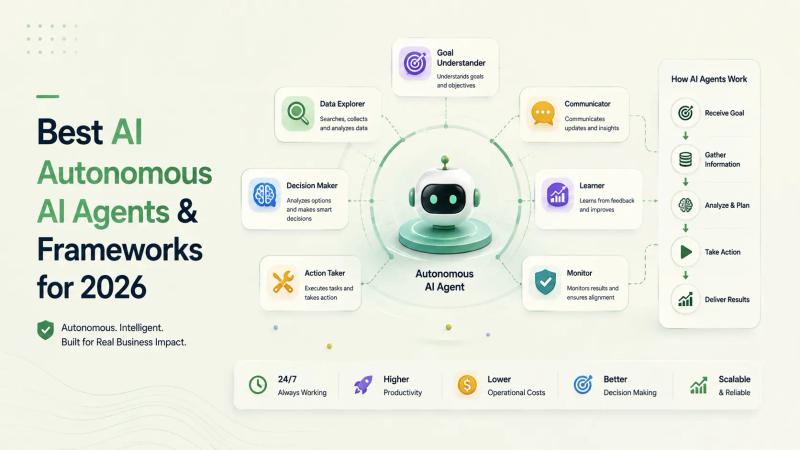
7 Best Autonomous AI Agents & Frameworks for 2026
We evaluated the top autonomous AI agent platforms and frameworks for reliability, multi-agent orchestration, tool calling, and enterprise automation. Here are the 7 best for 2026.
Stay Ahead of the Curve
Get the latest insights on Agentic AI, Product Strategy, and Tech Leadership delivered straight to your inbox. No spam, just value.
Join 384 subscribers. Unsubscribe at any time.